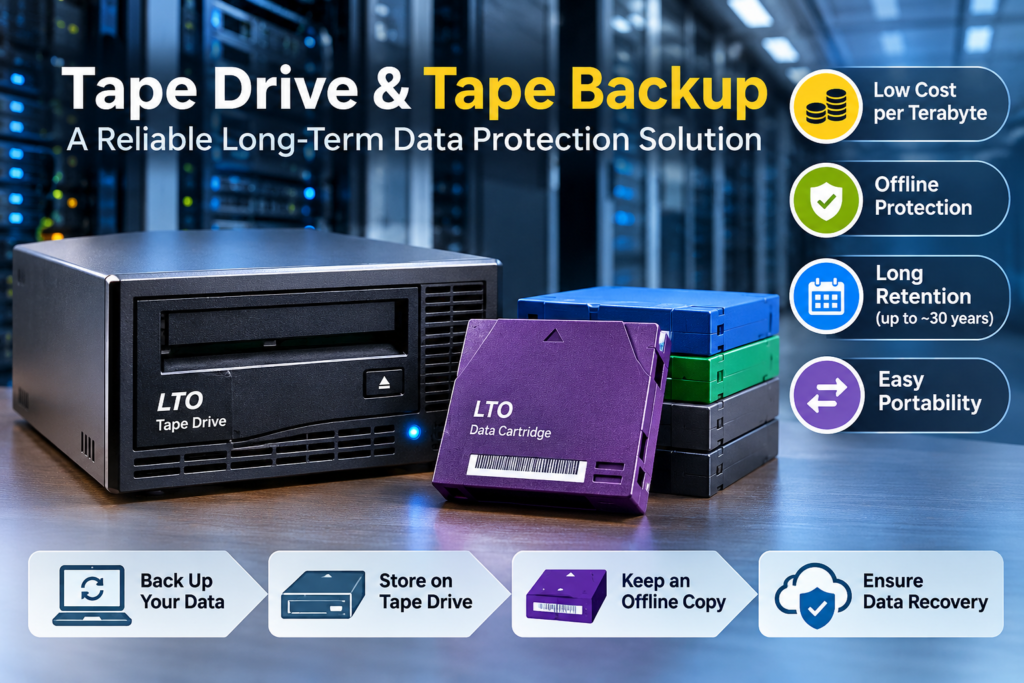
Data keeps growing, and so does the risk of losing it. Ransomware, hardware failure and human error can wipe out years of work in minutes. That is why many IT teams still rely on a tape drive as the last line of defence. In this guide, you will learn how a tape backup system works, how to choose the right hardware, and how to avoid the compatibility mistakes that cost businesses time and money.
What Is a Tape Drive?
A tape drive is the device that writes data to, and reads data from, a magnetic tape cartridge. Most enterprise systems follow the LTO (Linear Tape-Open) standard, which defines the cartridge format and the generations of hardware that can read and write it. The drive and the cartridge always work as a pair, so you need to understand both before you buy.
Why Businesses Still Choose Tape Storage
A well-planned tape backup offers benefits that disk and cloud alone cannot always match:
- Low cost per terabyte: tape is one of the most economical options for large data sets that you rarely need to access.
- Offline protection: a cartridge stored on a shelf cannot be reached by malware that spreads across your network.
- Long retention: most tape is rated for up to about 30 years when stored properly.
- Easy portability: cartridges can be moved off-site for disaster recovery.
Tape works best alongside other storage, not as a replacement for it. The most reliable setups combine tape, disk and cloud in a layered strategy.
Who Needs Tape in Their Data Strategy?
Tape suits any organisation that keeps large volumes of data for a long time. Banks and insurers use it to meet record-retention rules. Hospitals and research labs use it to archive imaging and study data. Media houses store raw footage on cartridges because disk costs add up quickly at that scale. Government departments and data centres use tape as an offline copy that stays safe even if the main network is compromised. If your data grows every year and you rarely open old files, tape deserves a place in your plan. It is also a practical choice for smaller companies that need an affordable offline copy of accounting files, customer records and project archives, without paying monthly fees that rise as storage needs grow.
How to Choose the Right LTO Drive
Selecting hardware is easier when you check six things in order.
- LTO generation: match the generation to the cartridges you own or plan to buy. For new projects, compare the latest generations before you decide.
- Form factor: choose between internal, external desktop or library-mounted units, based on your server room space and data volume.
- Interface: SAS and Fibre Channel are the common connections. Confirm that your server or host bus adapter supports the one you pick.
- Software support: check that your backup application lists the hardware as supported before you order.
- Encryption: look for hardware encryption so cartridges stay protected in transit.
- Capacity and growth: estimate data growth for the next three to five years and leave some headroom.
Drive Tape Compatibility: Avoid Costly Mistakes
Buying a mismatched drive tape pair is one of the most common errors in backup projects. A cartridge that your hardware cannot write to is simply wasted money. Before you order, confirm these points:
- Which cartridge generations your hardware can read and write
- That the manufacturer supports the cartridge brand and type you plan to use
- That you have cleaning cartridges ready for regular head cleaning
- That cartridges are labelled, and barcoded if you use a library
When in doubt, ask your supplier to verify the drive tape combination before shipping.
Building a Reliable Tape Backup Plan
Hardware alone does not protect you. A good plan follows the 3-2-1 rule: keep three copies of your data, on two different media types, with one copy off-site or offline. Then put these habits in place:
- Schedule full and incremental backups to match your recovery needs.
- Encrypt cartridges and restrict physical access to them.
- Test restores regularly, because an untested backup is only an assumption.
- Store cartridges in a cool, dry place away from strong magnetic fields and heat.
- Clean your hardware as recommended and replace it as it ages.
- Securely degauss and destroy retired media before disposal.
Get the Right Hardware for Your Setup
KSG Automation is an authorised IBM storage-media distributor in India, with offices in Gurugram, Delhi, Bangalore and Mumbai. We supply LTO drives, data cartridges and cleaning cartridges, along with data degaussers for secure disposal. Our team can recommend a configuration that fits your data volume, budget and backup software. Contact us today for a quote.
Conclusion
The right hardware, compatible cartridges and a tested plan are what make tape reliable. Start by matching your hardware to your data, check compatibility before you buy, and follow the 3-2-1 rule. Ready to build your setup? Get in touch with KSG Automation and our storage team will guide you.